STILL LIFE PHOTOGRAPHY: LIGHT PAINTING BASICS
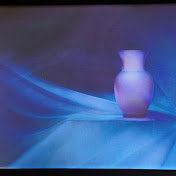
Light Painting Photography
14,651 views
STILL LIFE PHOTOGRAPHY: LIGHT PAINTING BASICS
20 Comments

@josephmcveigh872 3 years ago
Yes very interested thank you
@AliasJimWirth 3 years ago
Quality. This is so helpful. Thank you. Next, it is the settings I want to know about. I am sure you offer that somewhere now. Good stuff.
@imyourhuckleberry1881 1 year ago (edited)
This is awesome! Never understood that before how light works that way on a continually open shutter. You mentioned that you would show us how to set it up on your Olympus camera. Well, I searched all of your other videos and haven’t found it. Can you please point me to the video that explains that. Much thanks.
@c.augustin 3 years ago
Ah, I see – the Olympus (I have two ;-)) might be the better tool for me to "preview" where I am in the light painting process, because I would need to get the digital camera to the extremely low sensitivity of my pinhole camera (think f/300 or smaller, and the resulting reciprocity failure), and with the Olympus I can use ND filters. I should do some calculations (the dark season is coming, best for this type of photography).
@JPBevr 3 years ago
How are you making the image appear on the iPad show what you are doing? Great videos!
@jamesleephotos 3 years ago
i'm interested in the settings you use with the app slow shutter. is it one exposure? i don't see an option on the app where it stays open as long as I want.
@peter9962 3 years ago
You have some interesting "light painting" videos that I have been thoroughly enjoying. What has really aroused my curiosity is that you can watch how your exposure and shot is progressing on your screen, while you are "painting". How are you doing this? Is this a special app? Can I do this with my Canon R6?
Watching the screen as you "paint" is really a great advantage. I await your explanation. Thank you.
Watching the screen as you "paint" is really a great advantage. I await your explanation. Thank you.
@peterhardy9754 3 years ago
do you mostly use the pen light because it can be concentrated on the subject or mix it up with wider beams
@jacquelinemartin9793 3 years ago
Hi. I was wondering if you have a tutorial for light painting a guitar? and if so, where might I find it please? Thank you
@SuperStones64 3 years ago
Hi, is there a specific type of light pen you use on the subject, as in a narrow beam of light, so as not to get light where you don't want it, thanks
@deadwood1887 2 years ago
I just purchased the OM-D Mark IV. Can you share your basic settings for light painting. Do you use a ND filter? Great videos.
STILL LIFE PHOTOGRAPHY: LIGHT PAINTING BASICS
Light Painting Photography
14,651 views
STILL LIFE PHOTOGRAPHY: LIGHT PAINTING BASICS